
{
  "type":    "ValidationError",
  "code":    "HOST_EVENT_VALIDATION",
  "message": "<human-readable description of what field failed>"
}Handling embed errors
Table of Contents
|
Important
|
In the upcoming ThoughtSpot Cloud 26.10.0.cl and Visual Embed SDK 1.53.0 versions, ThoughtSpot recommends reviewing your error handing logic to prepare your integrations for this change. If your application currently handles all errors uniformly, you may need to update your error handling to distinguish between critical errors (SEV1) that require tearing down the embed and less severe errors (SEV2, SEV3) that can be logged or ignored. |
The ThoughtSpot Visual Embed SDK provides a layered approach to error
handling. EmbedEvent.Error is a real-time outbound event emitted from the embedded ThoughtSpot iframe to the host application, signaling that something has gone wrong, either inside the SDK itself, inside the embedded app (the iframe), or as a result of an invalid HostEvent payload sent by the host.
Unlike most embed events, which are cached and can be replayed on late subscribers, EmbedEvent.Error is not cached or replayed. Every emission is independent, and a handler must be registered before an error occurs to receive it.
EmbedEvent.Error fires on a per-embed-component basis. Any handler must be registered before render() is called.
Trigger sources🔗
Embed errors surface through distinct channels for the following failure categories:
SDK or configuration validation🔗
When SDK or configuration errors occur, the internal handleError(error) method in the embed component:
-
Sets
isError = trueand permanently blocks futurerenderIFramecalls on this instance. -
Calls
executeCallbacks(EmbedEvent.Error, { error }). -
Logs via
logger.error(error).
| Condition | Error message emitted |
|---|---|
|
|
Both |
|
Both |
|
|
|
|
|
Auth failure during | The caught auth/login error object |
HostEvent validation🔗
When the host sends a HostEvent with an invalid payload or a context mismatch, the event bridge validates it against the HostEvent schema. On failure, dispatchValidationError() is triggered to emit EmbedEvent.Error with code embedErrorCodes.HOST_EVENT_VALIDATION.
|
Important
|
If |
Runtime filter or cross-filter errors🔗
Filter operations can fail inside the iframe with typed errors:
eventErrorType | Typical message pattern |
|---|---|
|
|
|
|
|
|
|
|
|
|
|
|
|
|
|
|
|
|
|
|
|
|
|
|
Network events🔗
A global window.offline listener emits EmbedEvent.Error with a different payload shape:
{
  "offlineWarning": "Network not Detected. Embed is offline. Please reconnect and refresh"
}
Error types🔗
The EmbedEvent.Error is fired when the following types of errors occur:
| Error type | Description |
|---|---|
| API call failure error. This error event occurs when an API request is blocked. Example: |
| Error in presenting a Liveboard or visualization in full-screen mode. |
| Error in updating filter values. This error occurs when a single-value filter is applied to a Liveboard and the user tries to update this filter with multiple values. |
| Error in applying filter due to a non-existent filter. |
| Error due to an invalid date value in a filter. For example, if the column name is |
| Error due to an invalid operator in filter properties. For example, if you try to apply filters on the |
Payload shapes🔗
// SDK / auth error
{ error: string | Record<string, unknown> }

// HostEvent validation error
{ type: string; code: string; message: string }

// Filter / runtime error (from embedded app)
// — matches one of the eventErrorType patterns above

// Network offline
{ offlineWarning: string }
How to subscribe🔗
import { LiveboardEmbed, EmbedEvent } from '@thoughtspot/visual-embed-sdk';

const embed = new LiveboardEmbed('#container', {
  liveboardId: 'your-liveboard-id',
});

// Register BEFORE render() — errors can fire during initialization
embed.on(EmbedEvent.Error, (payload) => {

  // SDK/auth error
  if (payload?.error) {
    console.error('[SDK Error]', payload.error);
    return;
  }

  // HostEvent validation error (your payload is malformed)
  if (payload?.code === 'HOST_EVENT_VALIDATION') {
    console.error('[HostEvent validation failed]', payload.message);
    return;
  }

  // runtime filter/action error from the iframe
  console.warn('[Embed runtime error]', payload);

  // network offline
  if (payload?.offlineWarning) {
    showOfflineBanner(payload.offlineWarning);
    return;
  }
});

embed.render();
Handling errors🔗
The following example shows the sample code for handling errors.
import { HostEvent } from '@thoughtspot/visual-embed-sdk';

try {
  const result = await embed.trigger(HostEvent.UpdateRuntimeFilters, [
    { columnName: 'Region', operator: 'EQ', values: ['West'] },
  ]);

  // Timeout is a resolve, not a reject — check explicitly
  if (result instanceof Error) {
    console.error('HostEvent timed out:', result.message);
    return;
  }

  console.log('HostEvent succeeded:', result);

} catch (err) {
  // Rejection = iframe returned an explicit error in the response
  console.error('HostEvent rejected by iframe:', err);
}
Error handling guidelines🔗
| Error category | Detection and recovery |
|---|---|
SDK init config error | Detection mechanism: Payload/data: Recovery action: Fix configuration. Recreate and render embed. |
Auth failure (SDK layer) | Detection mechanism: Payload/data: Recovery action: Check |
Auth failure (iframe layer) | Detection mechanism: Recovery action: Show login prompt. Recreate and render embed. |
Session expired | Detection mechanism: Recovery action: Refresh token. Use |
Idle session timeout | Detection mechanism: Recovery action: Use |
Third-party cookies blocked | Detection mechanism: Recovery action: Switch to |
User logout | Detection mechanism: Recovery action: Redirect to login or clear state |
Duplicate token | Detection mechanism: Payload/data: Recovery action: Always return a fresh token from |
Invalid token | Detection mechanism: Payload/data: Recovery action: Verify token generation on the server. |
Network offline | Detection mechanism: Payload/data: Recovery action: Show offline UI. Reconnect and reload. |
HostEvent validation error | Detection mechanism: Payload/data: Recovery action: Fix the |
HostEvent timeout (30 seconds) | Detection mechanism: Payload/data: Recovery action: Check if iframe is still mounted. Call |
HostEvent iframe rejection | Detection mechanism: Payload/data: Error from iframe Recovery action: Inspect the rejection payload; see HostEvent validation error above |
Filter errors at runtime | Detection mechanism: Payload/data: Recovery action: Fix filter parameters. Validate against current Liveboard/answer filters. |
Best practices🔗
-
Always register an event listener for
EmbedEvent.Erroron your embed instance to capture and handle errors emitted by the embedded ThoughtSpot application. RegisterEmbedEvent.Errorbefore callingrender(). -
Inspect and categorize error payloads. The error event provides a payload with fields such as errorType, message, and code. Do not assume that
payload.erroralways exists inEmbedEvent.Error. Offline errors useofflineWarning; validation errors usecode. -
Do not destroy the embed on errors. First, inspect the errors to determine if you need to display host fallback pages. Not all events are fatal. ThoughtSpot handles some failures internally, so only take action if necessary based on the specific error and event type.
-
Provide contextual and user-friendly error messages based on the errorType and error details. Avoid exposing raw error objects or stack traces to your application users.
-
Enable
useHostEventsV2: truein development/staging to surfaceHostEventpayload errors early. -
Log errors for diagnostics.
-
Simulate different error scenarios during development. For example, network failures and invalid filters to ensure the error handling logic works as expected.
-
Do not set
shouldBypassPayloadValidation: truein production environments. Validation errors become invisible console warnings. -
Do not call
trigger()beforerender(); calling it beforerender()returnsnull.
Try it out in the Visual Embed Playground🔗
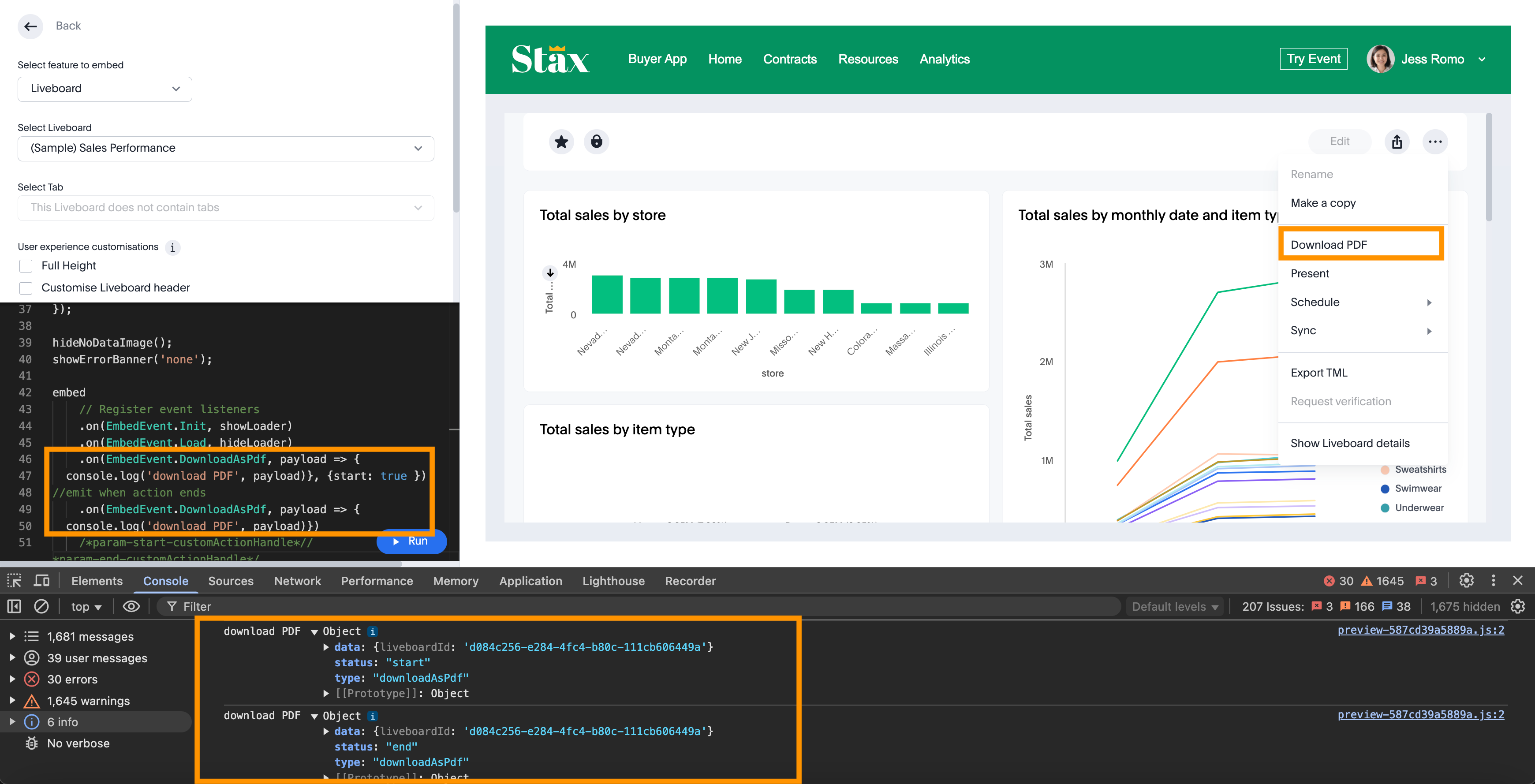
Try out the embed events in the Visual Embed Playground and preview changes.
Additional resources🔗
-
To identify and log errors, use the error types and error codes. For more information, see EmbedErrorDetailsEvent and EmbedErrorCodes.
-
For information about the supported event objects and examples, see EmbedEvent.