
 /* Show or hide the liveboard title and description */
 showLiveboardTitle: true,
 showLiveboardDescription: true,
 // isLiveboardHeaderSticky: false, /* Removes the header stickiness when scrolling if set to false */
 // hideLiveboardHeader: true, /* Hides the entire liveboard header */

 /* Customize display of tabs in the liveboard header */
 // hideTabPanel: true, /* Removes the tab panel */
 // visibleTabs:['TabId'], /* Remove all tabs if empty array*/
 // hiddenTabs:['TabId'],
/* Use either visibleTabs or hiddenTabs */Step 2: Large component elements
The checkboxes above the code panel provide quick access to the code to customize embedded elements.
-
Click Customize Liveboard header checkbox. You’ll see the following code block in the code editor:
If the Customize Liveboard header checkbox is unavailable on your instance of ThoughtSpot, check Full Height then copy the code above over the
fullHeight: truesection that is added to the Code Editor.NoteThe code includes examples of several settings that are commented out using the
//line comment. Removing//enables these settings and allows you to include them in your code. -
Click Run. The
LiveboardEmbedcomponent loads with the new options. -
Remove
//before thehideLiveboardHeader: trueproperty to enable this setting. -
Click Run again to see the updated results.
Available options for component element customization🔗
There are many more configurations available for each component than those available in the Playground. To see all available options, see Embed Classes and Embed Interfaces.
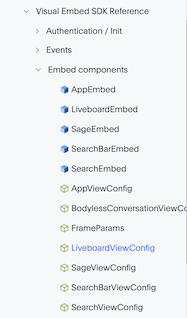
To use a setting that is not automatically generated by the Playground, go to its definition within the reference page and look at the example code.
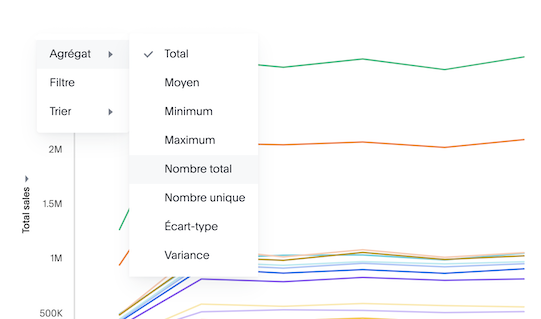
To override user’s locale settings:
-
Click locale.
-
Copy the property into the code in the Playground and specify a valid locale attribute. For example,
frorit:/* We added this one ourselves */ locale: 'fr', /* Show or hide the Liveboard title and description */ showLiveboardTitle: true, showLiveboardDescription: true, // isLiveboardHeaderSticky: false, /* Removes the header stickiness when scrolling if set to false */ // hideLiveboardHeader: true, /* Hides the entire liveboard header */ /* Customize display of tabs in the liveboard header */ // hideTabPanel: true, /* Removes the tab panel */ // visibleTabs:['TabId'], /* Remove all tabs if empty array*/ // hiddenTabs:['TabId'], /* Use either visibleTabs or hiddenTabs */ -
Click Run and try some of the items in the menu system when the Liveboard loads.
Hiding elements without configuration options🔗
If there are elements of the page that you can’t find an option to hide in the embedded interface configuration options, you may need to use the CSS customization framework to hide a given element directly.
If your implementation requires hiding certain elements, let ThoughtSpot know the element for which you need a configuration option by submitting an idea to the ThoughtSpot Community.